
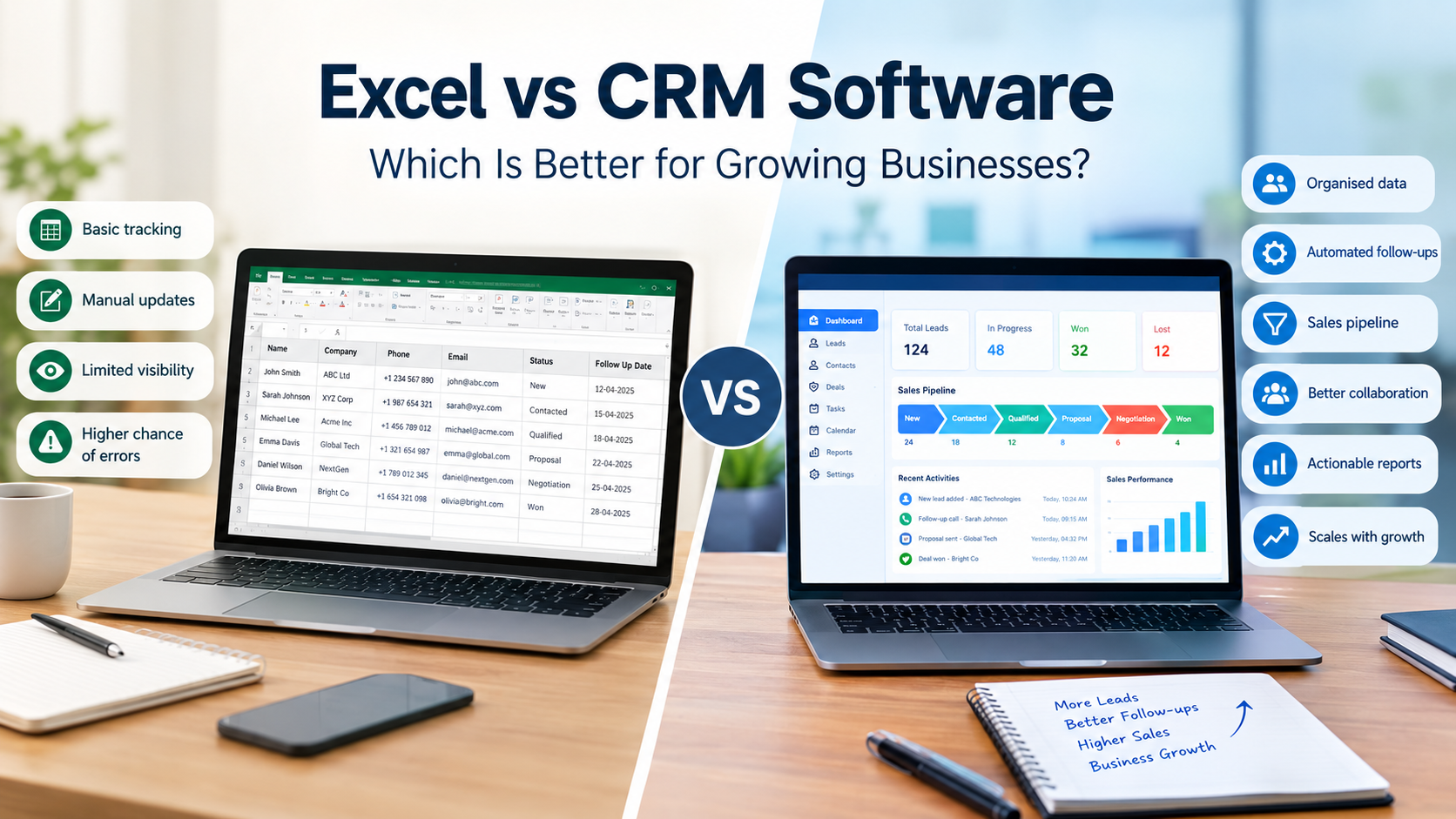
For many businesses, Excel is where customer management begins. It is familiar, flexible, and easy to use. A simple spreadsheet can help a small team record customer names, phone numbers, email addresses, enquiries, sales values, follow-up dates, and other important information.
However, as a business grows, managing customer relationships through Excel can become increasingly difficult.
More leads mean more rows. More employees mean more people updating information. More customers mean more follow-ups, sales activities, conversations, and opportunities to track.
This is where CRM software for small business becomes increasingly useful.
CRM stands for Customer Relationship Management. CRM software is specifically designed to organise customer information, leads, sales activities, opportunities, follow-ups, and customer interactions in one structured system.
So, when comparing Excel vs CRM, the question is not simply which tool is better.
The more useful question is:
Which system can support your business as your customers, employees, leads, and sales activities increase?
Let's explore the differences.
What Is the Difference Between Excel and CRM Software?
Excel is a spreadsheet tool that can be adapted for customer tracking, while CRM software is specifically designed to manage customer relationships, leads, sales activities, and business interactions.
Excel allows businesses to create their own customer-management system using rows, columns, formulas, filters, and charts.
For example, a company could create columns for:
- Customer name
- Company name
- Phone number
- Email address
- Lead source
- Salesperson
- Lead status
- Deal value
- Follow-up date
- Notes
This can work well for a small operation.
However, CRM software is built around customer relationships and sales workflows. Instead of simply storing information in cells, a CRM connects customer records with activities, tasks, opportunities, follow-ups, sales stages, and reports.
The difference becomes more noticeable when several employees need to access and update customer information.
Why Do Small Businesses Start With Excel?
Small businesses often start with Excel because it is familiar, flexible, easy to customise, and convenient for basic data tracking.
There is nothing wrong with using Excel when business requirements are simple.
A small company with one salesperson and a limited number of customers may only need a basic spreadsheet.
Excel also offers useful features such as:
- Sorting and filtering
- Formulas
- Charts
- Data validation
- Calculations
- Custom columns
- Basic reporting
- Data organisation
The challenge begins when a spreadsheet is expected to handle an increasingly complex sales and customer-management process.
As the business grows, employees may start creating different spreadsheets for different purposes.
One person may maintain the lead list. Another may maintain customer information. Someone else may keep a sales report.
Eventually, the business may have several files containing overlapping information.
That can make it difficult to determine which information is current.
When Does a Business Outgrow Excel for Customer Management?
A business may have outgrown Excel when customer data becomes difficult to maintain, follow-ups are missed, multiple spreadsheets exist, or management cannot easily understand the current sales pipeline.
There is no fixed number of customers that determines when a company needs CRM software.
Instead, businesses should look at their operational problems.
Consider CRM software when:
- Leads are being forgotten.
- Follow-ups depend heavily on personal reminders.
- Multiple versions of customer spreadsheets exist.
- Employees maintain separate customer lists.
- Managers cannot easily see the sales pipeline.
- Customer information is duplicated.
- Sales reports require extensive manual work.
- Employees spend too much time updating spreadsheets.
- Customer conversations are difficult to track.
- The sales team is expanding.
- The business needs automated workflows.
- Management needs better visibility into sales activities.
These signs are often more important than the number of customers.
A small company with a complicated sales process may need CRM software sooner than a larger company with very simple customer management.
How Does Excel Compare With CRM Software?
Excel provides flexible spreadsheet-based data management, while CRM software provides structured customer management, lead tracking, sales pipelines, automation, collaboration, and reporting.
Excel requires the business to design and maintain its own customer-management process.
For example, the team may need to decide:
- Which columns should be created?
- Who updates the spreadsheet?
- How are leads assigned?
- How are follow-ups recorded?
- How are completed deals identified?
- How are reports generated?
- How are duplicate customers removed?
With CRM software, these activities are generally part of a structured customer-management workflow.
A CRM can provide dedicated areas for:
- Leads
- Customers
- Contacts
- Deals
- Sales activities
- Follow-ups
- Tasks
- Reports
- Sales pipelines
- User management
This structure becomes increasingly valuable when several employees are working with the same customer information.
Why Is CRM Better for Managing Leads and Follow-Ups?
CRM software can centralise leads, assign responsibilities, track sales stages, and organise follow-ups more systematically than a manually maintained Excel file.
Imagine that a potential customer contacts your business.
With Excel, someone may need to enter the customer details into a spreadsheet, assign the lead to a salesperson, record the conversation, set a reminder, update the status, and later record the outcome.
Every step depends on employees consistently maintaining the spreadsheet.
With a CRM, the lead can become part of a defined workflow.
For example:
New Lead → Contacted → Qualified → Proposal → Negotiation → Won/Lost
Each lead can have an assigned salesperson and relevant follow-up activity.
This makes it easier for the sales team to understand what needs to happen next.
A structured lead-management process can also help managers identify leads that have not received appropriate attention.
Internal linking opportunity: Link the words lead management to the relevant OrbitO CRM lead-management page.
How Does CRM Software Improve Sales Pipeline Management?
CRM software gives businesses a structured way to monitor opportunities from the first enquiry through the sales process and final outcome.
A business can technically create a sales pipeline in Excel.
For example, employees could use different values such as:
- New
- Contacted
- Qualified
- Proposal Sent
- Negotiation
- Won
- Lost
The difficulty comes when the number of opportunities increases.
Managers may have to manually filter the spreadsheet to understand:
- How many active leads exist?
- Which salesperson owns each opportunity?
- Which deals are close to conversion?
- Which customers need follow-up?
- How much potential revenue is in the pipeline?
- Which opportunities have been inactive?
- How many deals were won this month?
A CRM is designed to provide this type of sales visibility.
Instead of treating customer information as rows in a spreadsheet, it connects customers and opportunities to the sales process.
This makes sales pipeline management more structured and easier to monitor.
Can CRM Software Reduce Manual Work?
Yes, CRM software can reduce repetitive work by automating selected activities such as reminders, notifications, lead assignments, tasks, and workflow actions.
Consider a simple lead-assignment process.
Without automation, an employee may need to:
- Open the lead spreadsheet.
- Find the new enquiry.
- Identify the appropriate salesperson.
- Assign the lead.
- Inform the salesperson.
- Add a follow-up date.
- Check later whether the lead was contacted.
With CRM automation, some of these steps can be handled through predefined workflows, depending on the CRM platform.
CRM automation can be used for activities such as:
- Lead assignment
- Follow-up reminders
- Notifications
- Task creation
- Status updates
- Workflow triggers
- Internal alerts
The objective is not to automate every activity.
The objective is to reduce unnecessary repetitive work so employees can spend more time on customers and sales.
Is Excel Cheaper Than CRM Software?
Excel may have a lower direct software cost for basic tracking, but businesses should also consider the time and operational costs associated with manual customer management.
At first glance, Excel may appear to be the cheaper option.
However, the cost of a customer-management process is not limited to software.
Consider how much time employees spend:
- Updating spreadsheets
- Finding customer information
- Preparing sales reports
- Checking follow-ups
- Correcting duplicate information
- Combining multiple files
- Updating sales statuses
- Creating management reports
For a growing business, these activities can consume significant employee time.
There may also be indirect costs caused by:
- Missed follow-ups
- Delayed responses
- Duplicate data
- Incorrect customer information
- Lost customer history
- Poor team coordination
This does not mean every business should immediately replace Excel.
Instead, businesses should compare the cost of their current process with the cost and expected operational value of CRM software.
Is CRM Software Difficult for Small Businesses to Use?
CRM software can be practical for small businesses when the platform is easy to use, matches their workflow, and provides the features the team actually needs.
One concern businesses sometimes have is that CRM systems are complicated.
The complexity depends heavily on the platform and how it is implemented.
A growing business should focus on usability.
Important considerations include:
- Simple customer records
- Easy lead entry
- Clear sales stages
- Straightforward dashboards
- Follow-up reminders
- Simple reporting
- User permissions
- Automation options
- Easy data import
- Employee onboarding
- Scalability
The purpose of implementing CRM software is not to create more administrative work.
It is to make customer management more organised.
What Are the Main Benefits of CRM Software for Growing Businesses?
The main benefits include centralised customer information, better lead tracking, structured sales pipelines, improved collaboration, automation, reporting, and greater visibility into customer activities.
1. Centralised customer information
Customer information can be maintained in one central system instead of being distributed across multiple spreadsheets.
2. Better lead management
Leads can be organised according to their status, salesperson, source, priority, or other business requirements.
3. Improved follow-up management
Tasks and reminders can help employees keep track of the next action for each opportunity.
4. Better team collaboration
Employees can work with shared customer information instead of maintaining separate files.
5. Greater sales visibility
Managers can monitor sales activities and opportunities more easily.
6. Reduced repetitive work
Automation can reduce selected manual tasks.
7. Better reporting
Structured data makes it easier to create useful sales and customer reports.
For a business that is expanding its sales team or customer base, these capabilities can become increasingly valuable.
How Can a Business Move From Excel to CRM Software?
Businesses can transition from Excel to CRM software by cleaning their existing data, defining their sales process, selecting essential fields, importing relevant records, and training employees.
A simple migration process can include the following steps.
Step 1: Clean your Excel data
Remove:
Duplicate customers
Outdated records
Incorrect contact information
Empty rows
Unnecessary columns
Step 2: Identify important information
Decide what customer information actually needs to move into the CRM.
This could include:
Customer name
Company
Phone number
Email
Lead source
Salesperson
Lead status
Deal value
Follow-up date
Step 3: Define your sales process
Identify the stages that a lead normally passes through.
For example:
New → Contacted → Qualified → Proposal → Negotiation → Won/Lost
Step 4: Assign responsibilities
Determine which employees are responsible for leads, opportunities, follow-ups, and customer accounts.
Step 5: Import relevant data
Only move useful and accurate information into the new CRM.
Step 6: Train employees
Make sure employees understand how to create leads, update records, manage tasks, and track sales activities.
Step 7: Review the process
After implementation, identify areas where automation, reports, or workflow improvements could help.
A gradual transition can make the move from Excel to CRM more manageable.
What Should a Growing Business Look for in CRM Software?
A growing business should evaluate CRM software based on usability, lead management, sales pipeline features, automation, reporting, collaboration, scalability, integrations, and security.
Before selecting a CRM system, consider whether it provides:
- Customer management
- Lead tracking
- Sales pipeline management
- Follow-up management
- Task management
- Reports
- Dashboards
- Automation
- User permissions
The right CRM should solve current business problems without introducing unnecessary complexity.
Internal linking opportunity: Link CRM software to the relevant OrbitO CRM product page.
Excel vs CRM: Which One Makes Sense for Your Business?
Excel can work well for simple customer tracking, while CRM software becomes increasingly useful when a business needs structured lead management, sales pipelines, automation, collaboration, and scalable customer management.
There is no single answer for every business.
If your company has a small customer list and a simple sales process, Excel may continue to meet your requirements.
But if your business is managing increasing numbers of leads, customers, salespeople, follow-ups, and opportunities, a dedicated CRM can provide a more structured approach.
For businesses researching CRM software for small business, the key question is not whether Excel is good or bad.
The important question is whether your current system can continue supporting your business as it grows.
A spreadsheet may be sufficient today but increasingly difficult to manage tomorrow.
A CRM provides a structured environment for organising customer relationships, sales activities, leads, opportunities, and follow-ups.
For growing businesses, moving from Excel customer management to a dedicated CRM can therefore be considered as an operational improvement when spreadsheet-based processes start creating limitations.
OrbitO CRM can help businesses explore a more structured approach to managing customer and business processes from a central platform.
Frequently Asked Question
1. Is CRM better than Excel for customer management?
CRM software is specifically designed for customer and sales management, while Excel is a general spreadsheet tool. CRM can be more suitable when businesses need structured lead tracking, follow-ups, sales pipelines, automation, and reporting.
2. Can Excel be used as a CRM?
Yes. Excel can be used to record customer information, leads, sales values, statuses, and follow-up dates. However, maintaining these processes manually can become increasingly difficult as a business grows.
3. When should a small business switch from Excel to CRM?
A business should consider CRM software when it experiences missed follow-ups, duplicate customer data, multiple spreadsheets, growing sales teams, limited sales visibility, or excessive manual reporting.
4. Does CRM software replace Excel?
Not necessarily. A CRM can be used for customer and sales management while Excel continues to be used for calculations, financial analysis, forecasting, and other spreadsheet-based activities.
5. Is CRM software useful for a small sales team?
Yes. A small sales team can use CRM software to centralise customer information, manage leads, track sales opportunities, organise follow-ups, and improve visibility across the sales process.